AI workflows for the work behind every event.

Tell Breezit what to do and when. Get a morning sales brief, hand a new booking to a planner or collect final guest counts before the caterer’s deadline.

Daily routine work

Have the day’s meeting briefs ready before the first client walks in. Breezit reads each booking and its conversations to surface the decisions, preferences and questions your host needs.

Ask Breezit“Every morning, brief each host on today’s meetings and flag anything the client is waiting on.”
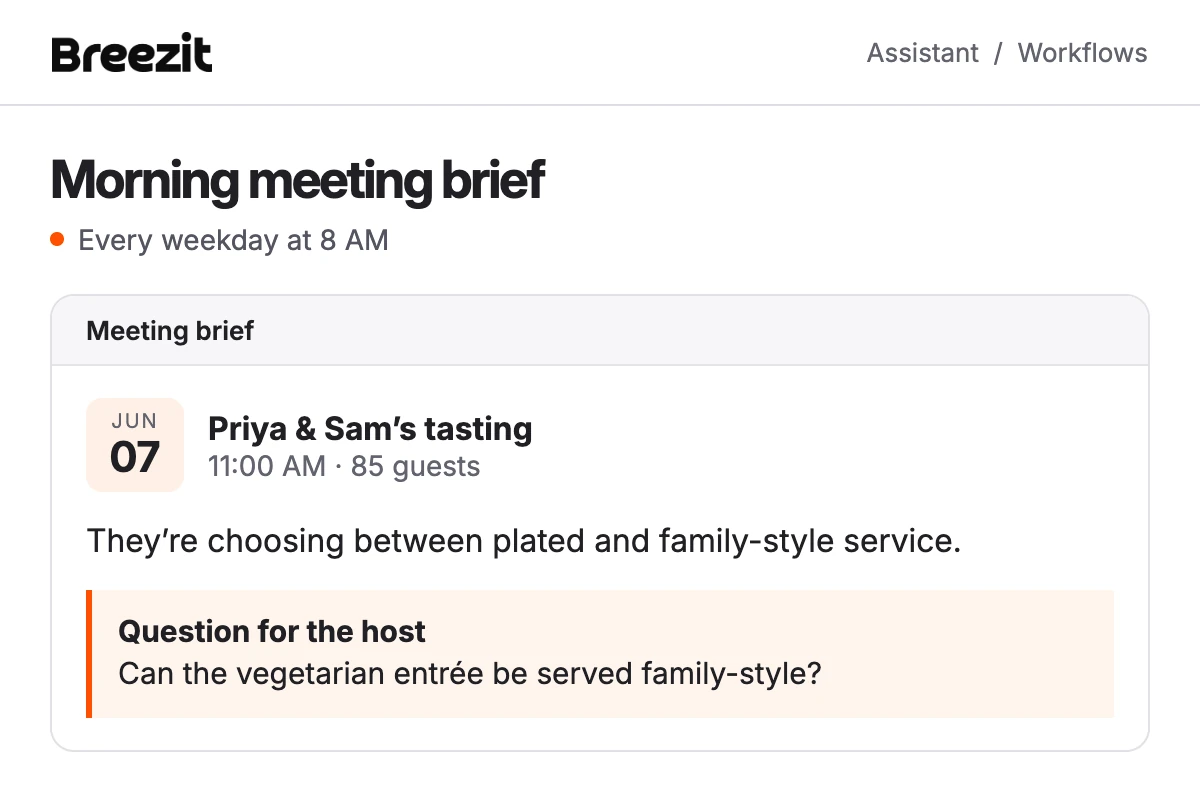
Example meeting brief for Priya and Sam’s 11 AM tasting. The host needs to check whether a vegetarian entrée can be served family-style.

Automated outreach

Collect the details that hold up planning. A stage change or an approaching event date can trigger a request for missing information. Once the client replies, Breezit prepares their answer for the team or vendor who needs it.

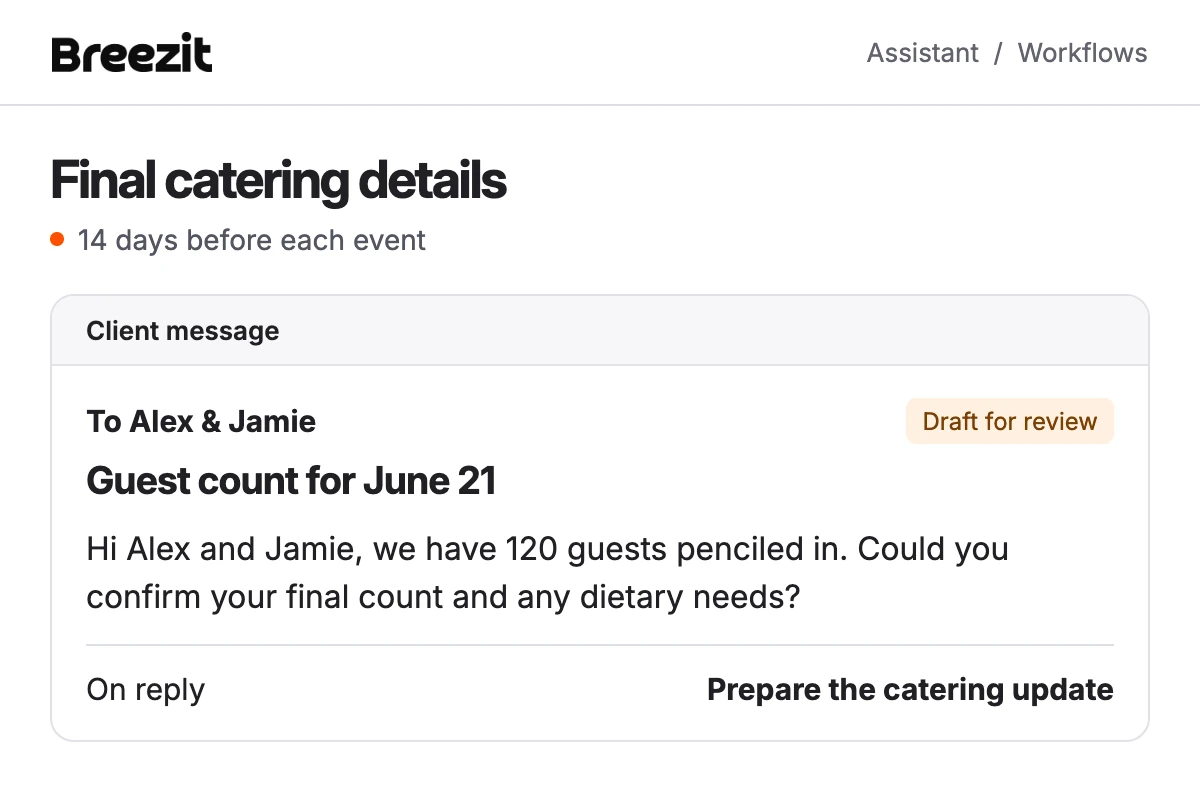
Ask Breezit“Two weeks before dinner, ask for the final count and dietary needs. Prepare the confirmed details for catering.”
Example email to Alex and Jamie asking them to confirm 120 guests and dietary needs. The draft is awaiting review.

Automated data analysis

See which channels bring bookings and where inquiries stall. Breezit compares lead sources and booking outcomes, then checks the conversations for an explanation.

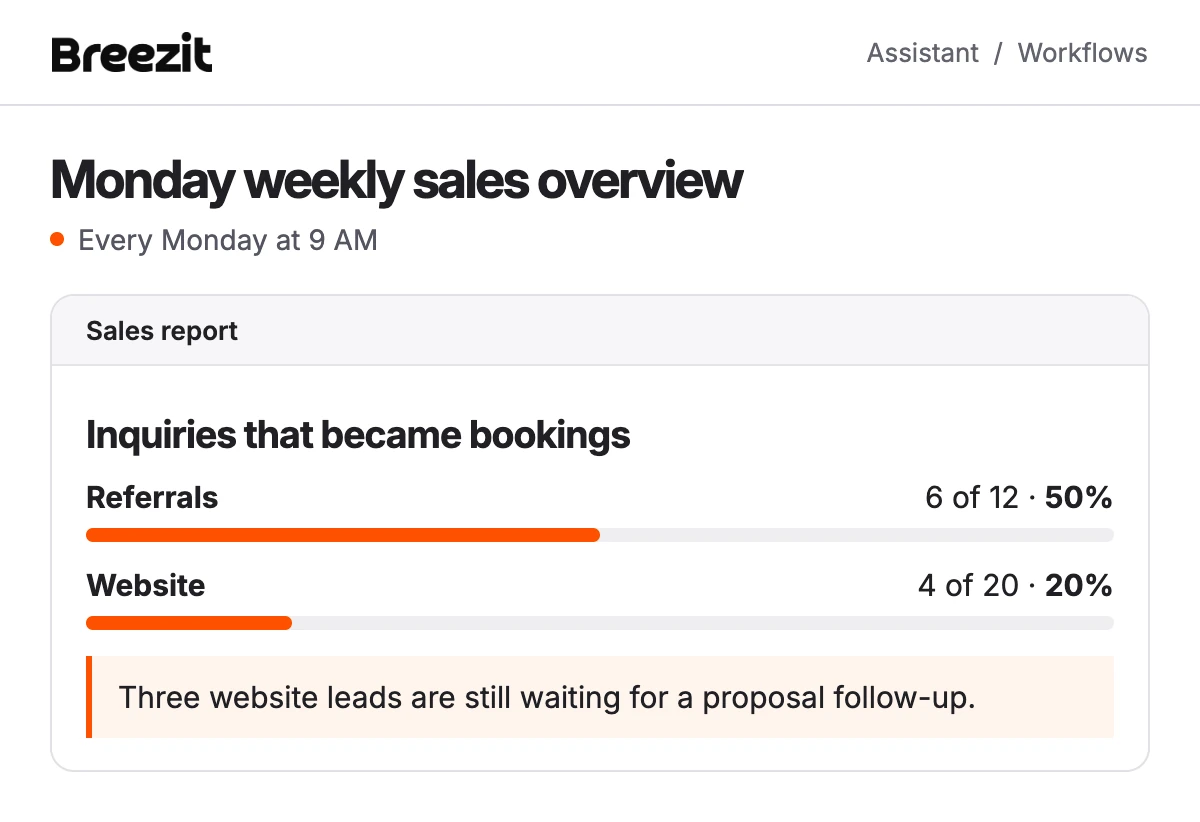
Ask Breezit“Every Monday, compare bookings by lead source and flag quotes that still need a follow-up.”
Illustrative weekly report. Six of twelve referrals booked, compared with four of twenty website inquiries. Three website leads need a follow-up.

Planning handoff

Give the coordinator the details agreed during the sale. When a booking enters planning, Breezit gathers the signed terms, promises made in messages and requests the team still needs to confirm.

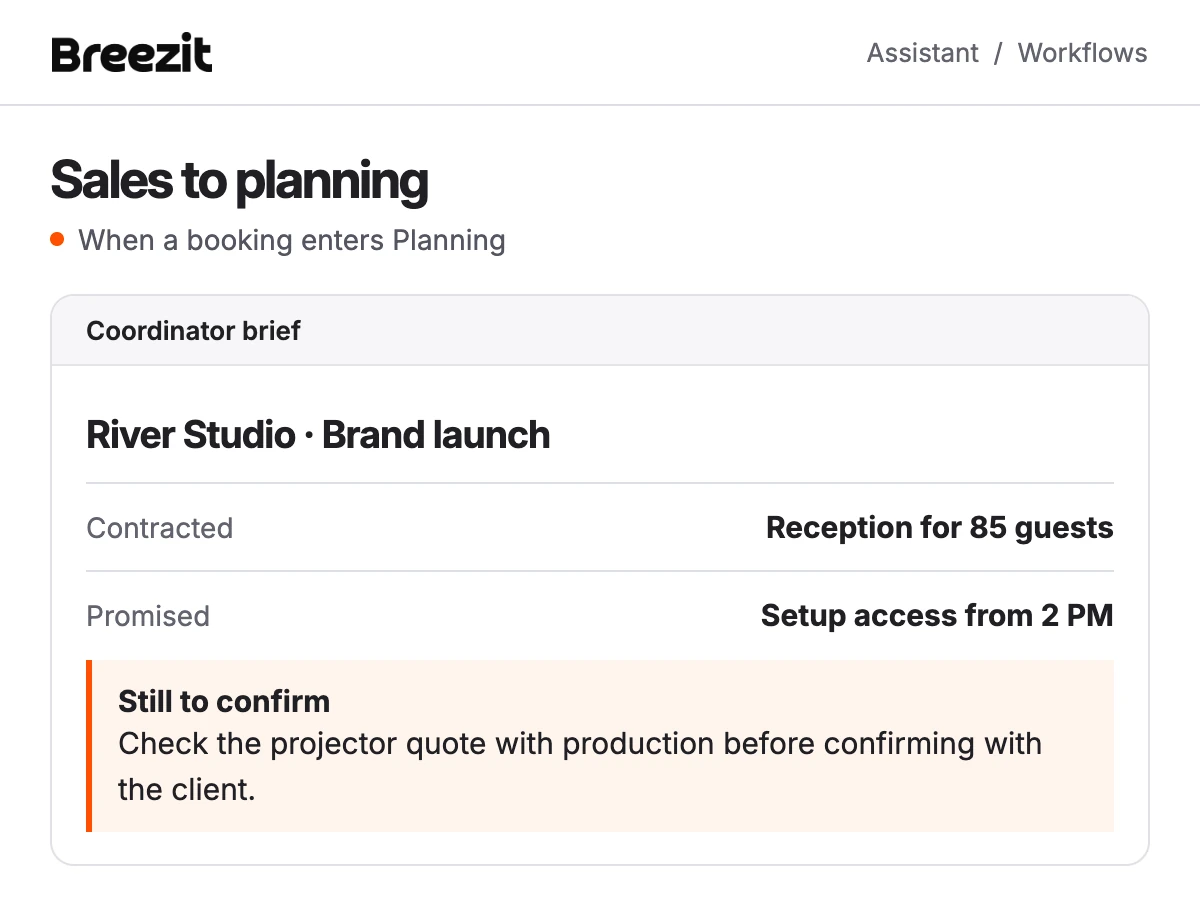
Ask Breezit“When a booking moves to Planning, prepare a handoff for its coordinator with commitments and open questions.”
Example River Studio handoff. The agreement covers 85 guests, setup access starts at 2 PM, and the coordinator needs to check the projector quote.

Set up a workflow in your own words.

  1. Describe the task

    Tell the assistant what to check, when to run and who needs the result. Choose a schedule, a booking stage or a deadline relative to the event date.

  2. Approve the workflow

    Review the instructions, timing and actions. Once approved, the workflow runs for each booking that meets your conditions.

  3. Review each run

    Open the workflow to see the result and anything Breezit couldn’t finish. Run it now, change its instructions or pause it as your process changes.

What you might want to know

Who approves messages to customers?

By default, Breezit prepares the message and a team member selects Send. An owner or admin can change that setting. Approving the workflow and sending a customer message are separate actions.

Will the workflow apply to every matching booking?

Yes. For example, a workflow tied to your “Final planning” stage can run each time a booking enters that stage. A date-based workflow can check each event as its deadline approaches.

Can Breezit follow fixed steps or use its judgment?

Both. A handoff can follow the same checklist each time. A sales report can examine booking records and conversations, identify what changed and explain which deals need attention.

Can I test or change a workflow?

Open an approved workflow and choose Run now to check its output. You can edit the instructions, adjust the schedule or pause future runs.