An inquiry arrives during an event or after hours
Answer questions about your venue and packages while your team is hosting or away. Collect the event date, guest count and budget, and help the client arrange a tour.

Breezit is an AI sales agent for event venues. It answers and qualifies inquiries, follows up and manages tours while your team hosts events. Keep the next steps moving with a full CRM, quotes, invoices, contracts and payments.
Tours, event days and guest requests can leave little time for new prospects. Breezit AI keeps those conversations moving, so you can care for today’s guests and keep tomorrow’s bookings within reach.

Answer questions about your venue and packages while your team is hosting or away. Collect the event date, guest count and budget, and help the client arrange a tour.
Send personalized follow-ups when a lead does not reply or stops responding. Use the spaces, packages and plans already discussed to continue by email or SMS, at the times you choose.
Continue the conversation after the visit. Ask AI to update the guest count, revise the quote and prepare the invoice or payment link.
Give each inquiry a clear path from the first question to a tour, then continue the conversation and booking work afterwards.
Breezit AI works with your business information, calendars, business rules and communication tone.
Build context before asking the client to visit.
Offer the appointments you make available for prospective clients.
Continue from the questions and details already discussed.
Keep the conversation and the booking details moving forward.
More bookings. More time for your clients. Every inquiry captured.
Turn more inquiries into bookings with fast replies and consistent follow-ups.
Let Breezit handle routine questions, follow-ups and appointment scheduling.
Bring inquiries from your connected channels together, day and night.
For a single event venue or a property with several spaces, start with the work taking your team away from clients.
Start with the channels and workflow you need.
Breezit AI answers inquiries, follows up, schedules appointments and keeps your CRM and booking documents up to date—following your rules, with your team in control.
Breezit AI answers questions about your venue spaces, packages and pricing across email, phone, SMS, website inquiries, WhatsApp, social DMs and listing inquiries, using your business rules and tone. It gathers the details needed to qualify each inquiry.
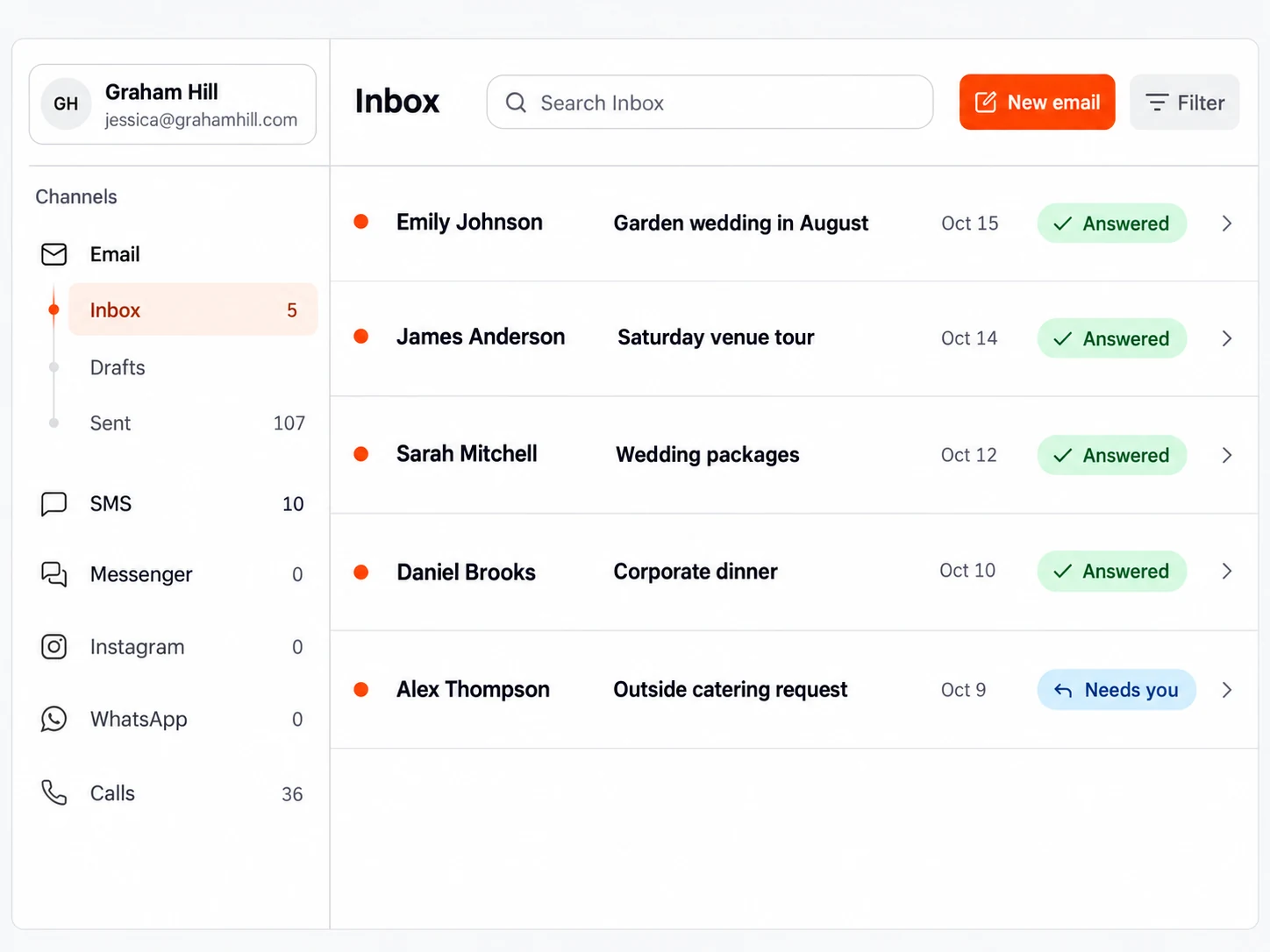
Breezit AI answers a new inquiry from The Knot or your website, collects event details and continues through the listing’s messaging system, email or SMS when contact details are provided.
Breezit AI writes and sends personalized follow-ups based on each conversation, email replies and link clicks. It follows your sequence and timing rules across email and SMS, plus WhatsApp and social DMs within the 24-hour messaging window.

Breezit AI follows up about the spaces and packages they discussed, and makes it easy to continue by email or text.
Breezit AI schedules venue tours and planning meetings using your connected calendars, availability and booking rules. It sends confirmations and reminders, handles rescheduling and follows up with no-shows. Appointments can be assigned across your team using round-robin rules.
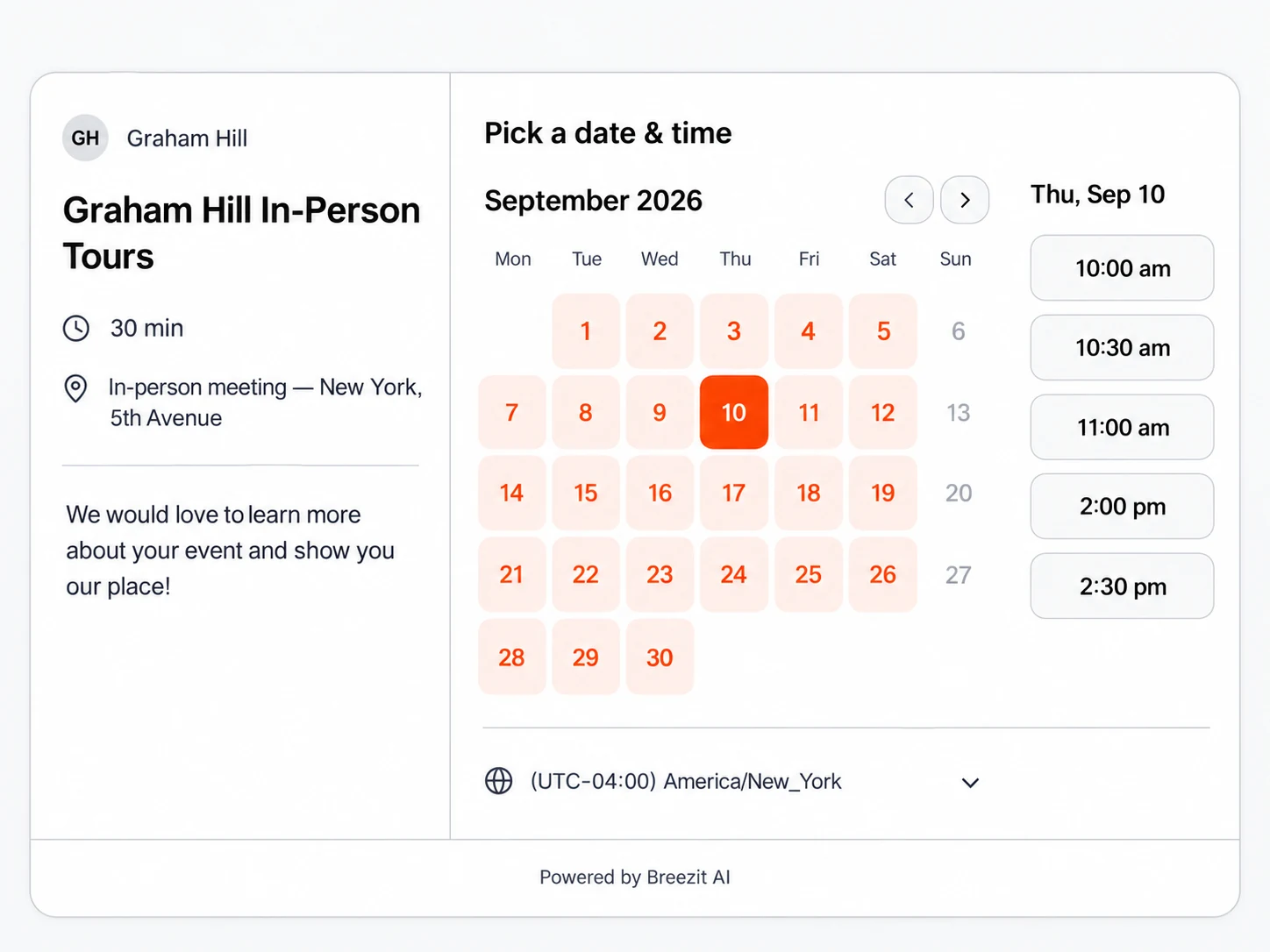
Breezit AI finds another time using your connected calendars, reschedules the appointment and sends the customer an updated confirmation.
Breezit AI keeps your CRM up to date, capturing client details, organizing conversations and moving leads through your booking stages. Ask AI to update custom fields, assign deal owners or create tasks. Your team can review, pause AI or take over at any time.
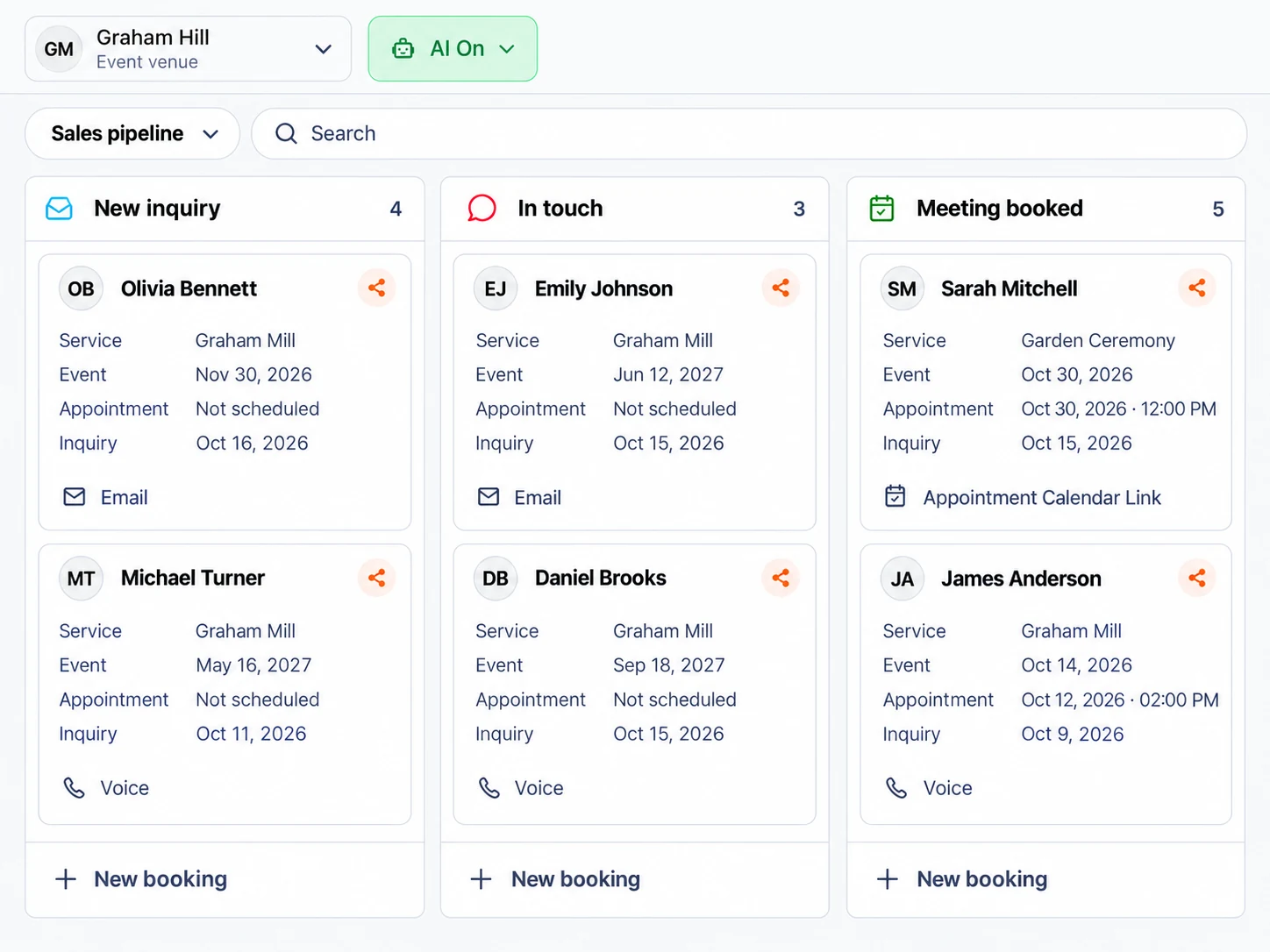
Breezit AI keeps preferred spaces, guest counts and event requirements up to date in the CRM, alongside the conversation history and next steps. Your team can pick up the conversation with the context already in place.
Breezit AI creates and updates quotes, invoices and contracts using your services, pricing and templates. It makes requested changes, sends documents according to your approval rules, prepares Stripe payment links and follows up for signatures and payments.
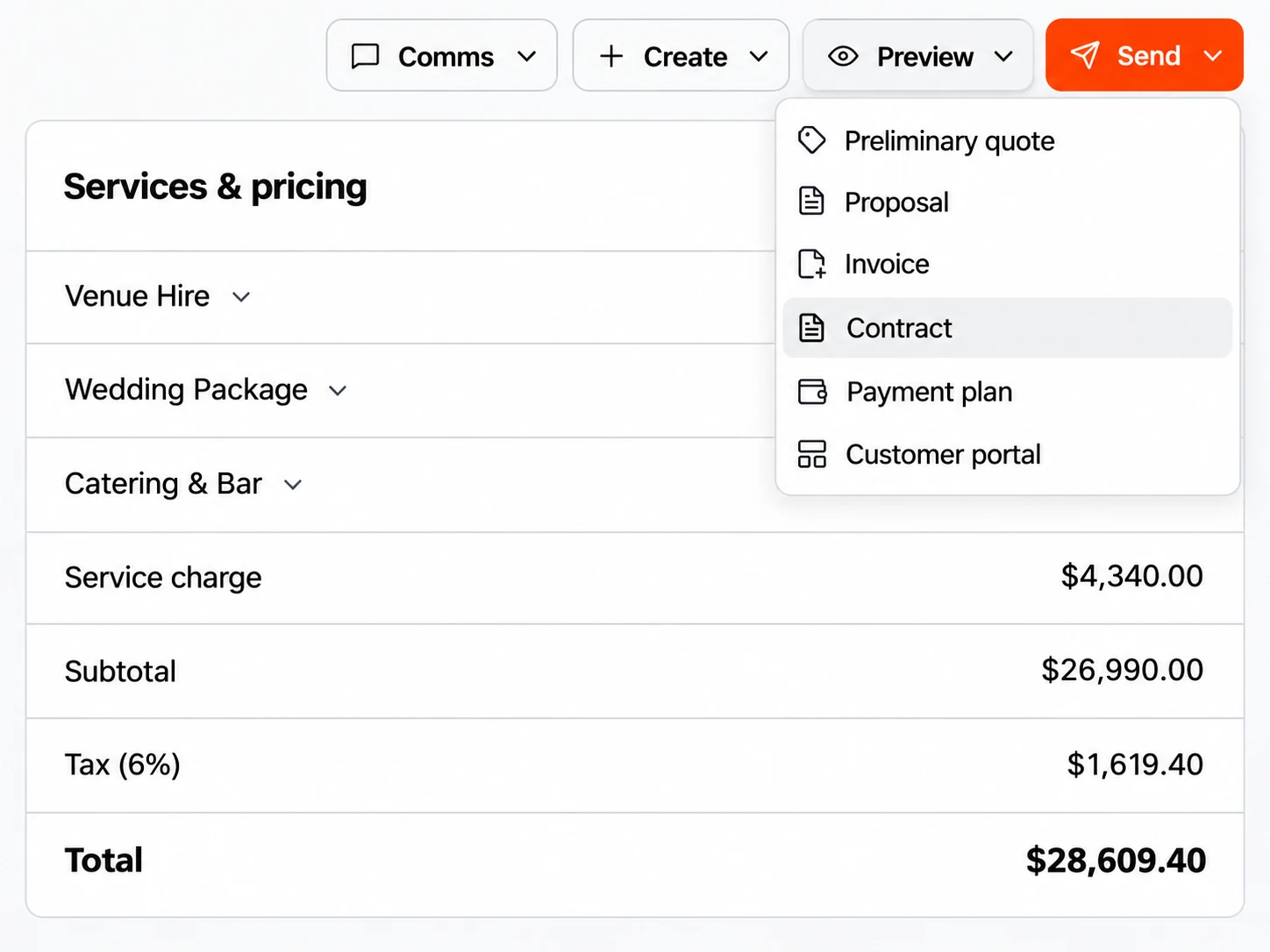
Breezit AI revises the quote and invoice, updates the contract and prepares the payment link for the agreed booking. Your team reviews the changes according to your approval rules.
Breezit AI generates banquet event orders from booking and invoice details, bringing room setup, guest counts, menus, timelines and team instructions into one document. Ask AI to update the order when plans change, then review and share it with your team.
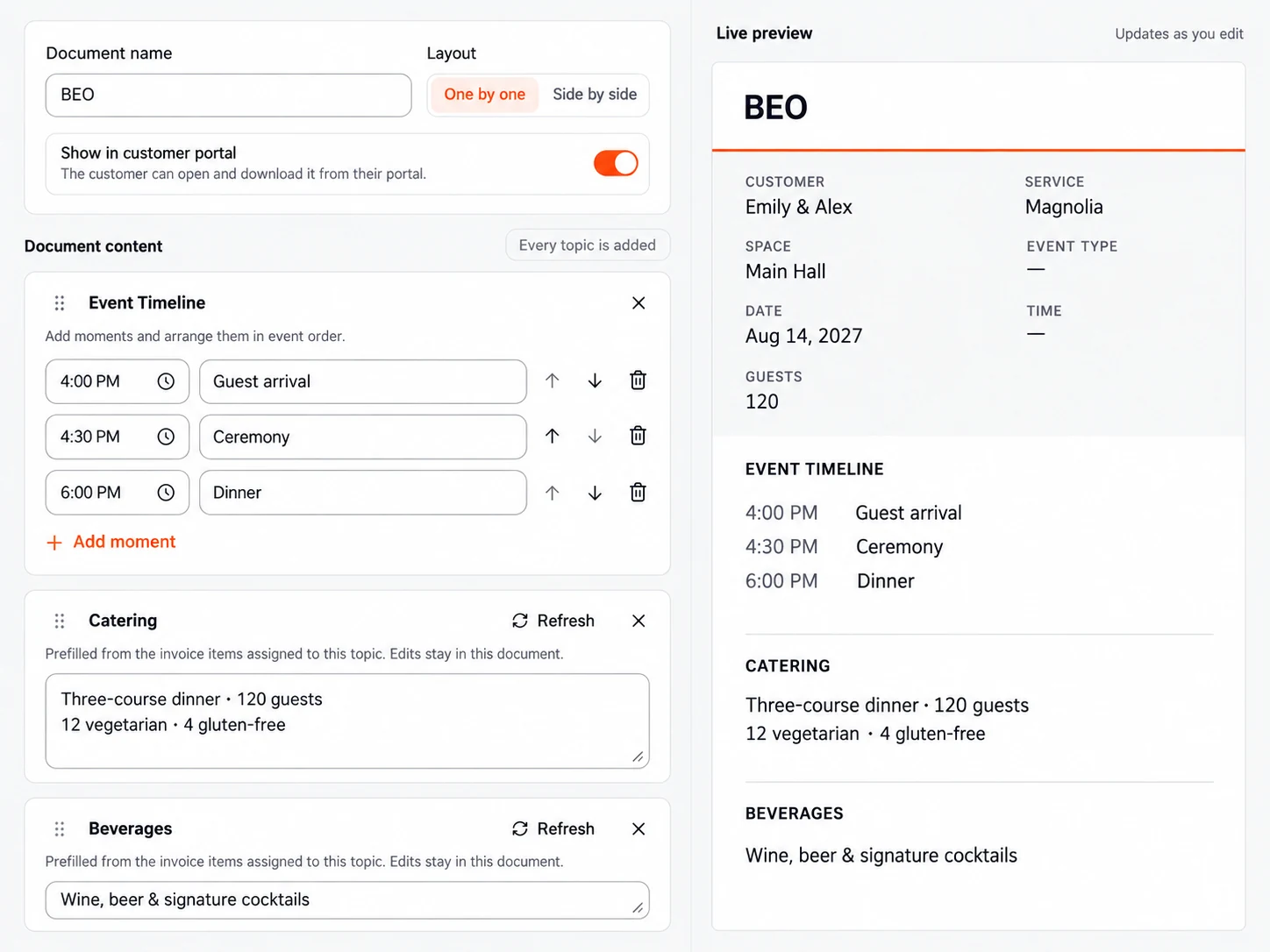
Breezit AI prepares the order from the agreed booking details and makes updates at your request. Review the document, download a copy and choose whether to share it in the customer portal.
Connect Tripleseat directly or other CRMs and tools through Zapier. Connect ChatGPT, Claude, Muse or GrokBot to manage Breezit or direct your AI agent.
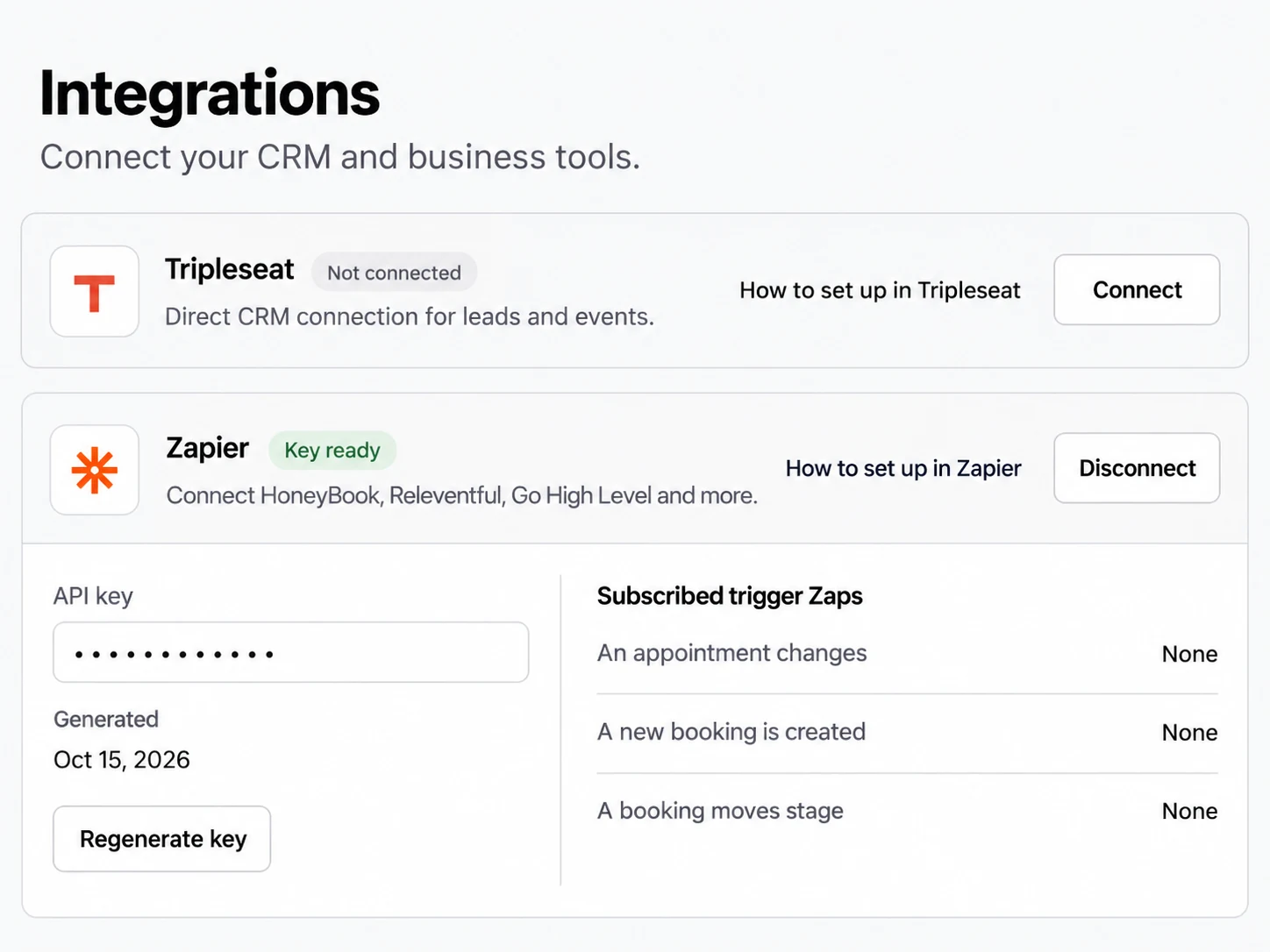
Connect Breezit to the team’s existing CRM workflow, with the information and actions defined by your connection.
 Email
 Phone & SMS
 Website
 WhatsApp

 Social DMsTripleseatZapierStripe
An autonomous sales agent, a full CRM and tools to manage your documents and payments—all built around your venue’s information.
Capture, answer and qualify leads. Recommend spaces, personalize follow-ups, manage tours and continue after the meeting. Generate preliminary quotes and flag questions that need your team.
Explore the AI agentStore every lead and conversation. Use custom fields, owners, tasks and booking or post-booking funnels. Track lead quality, source performance and funnel leakage, and ask AI for insights.
Explore the full CRMAsk AI to update records and business information, generate or revise quotes, invoices and contracts, create payment links and follow-ups, or send a customer an email or SMS.
Explore documents and paymentsSee how Breezit AI compares with a standard CRM, a virtual assistant and an employee for inquiry handling. Breezit also includes the CRM, documents, payments and analytics described above.
Swipe to compare all four options.
| What matters | Breezit AI | Standard CRM | Virtual Assistant | Employee |
|---|---|---|---|---|
| 24/7 coverage | Always on, including nights and weekends | Automated messages; ongoing conversations require staff or added AI tools. | Scheduled coverage | Working hours |
| Inquiry capture | Captures every inquiry across connected channels | Connected forms and manual entry | Monitors assigned channels | Monitors assigned channels |
| Record updates | Automatically captures details and updates connected records | Manual entry or configured automations | Updates records manually | Updates records manually |
| Consistent follow-ups | Follows up automatically using your timing and rules | Configured sequences or staff reminders | Follows a task list and schedule | Follows a task list and schedule |
| Personalized replies | Uses business information, conversation context, rules and tone | Templates, contact fields and workflows | Uses your brief and training | Uses experience and training |
| Appointment scheduling | Uses connected calendars and your booking rules | Requires scheduling setup | Checks calendars and arranges times | Checks calendars and arranges times |

Richelle Norman · Owner
Matthew Presley · Owner

Rylie Jennings · Venue Sales Manager

Michael Olivas · Sales Manager
Jessica Ritter · General Manager

Kristen Leen · Venue Sales Expert

Regina & Will · Owners

Ra · Owner

Ryan Cottam · Owner
Joey Marshall · General Manager

Kelly Lee · Owner

Hunter · Owner

Ijo · Owner

Elli Winn · Event Manager
Choose how you want to experience Breezit as a potential customer.

Choose a plan based on how many new leads your business receives each month.
Further messages and follow-ups with an existing lead don’t count as new leads.
Use Breezit to handle inquiries for at least 7 days. If it isn’t right for your business, request a full refund within your first 14 days of service.
View guarantee detailsHow it fits your services, your clients and the way you work.
Talk to the Breezit teamYes. Breezit captures, answers and qualifies inquiries for the event types your venue accepts. It uses your information and rules to discuss the event, recommend appropriate spaces and arrange the next step.
Yes. It can check individual space availability, rules and pricing, then recommend a space or combination of spaces that suits the customer’s requirements.
No. A tour is an appointment. Your venue’s hold and booking process determines when an event date is reserved.
Yes. It can follow up after the visit and generate a preliminary quote. Ask it to update customer or event details, generate or revise quotes, invoices and contracts, create payment links or send an email or SMS.
Yes. Keep lead data and conversations across channels together, create booking and post-booking funnels with your own stages, add custom properties that AI can update, assign owners and create tasks for your team.
Yes. Tripleseat connects directly, and other CRMs and tools can connect through Zapier. Your connection determines which information and actions are shared.
Email, phone, SMS, website inquiries, WhatsApp, Facebook and Instagram DMs, and listing inquiries. Route new-lead notifications from platforms such as The Knot, WeddingWire, Tagvenue, PartySlate or Here Comes The Guide to the connected inbox. Breezit can reply through the listing’s messaging system and by email or SMS when those details are provided.
Breezit tells the lead that your team will contact them and informs your team that input is required. Staff can review the conversation and take over with the context available.
Upload venue documents, add links and connect your inbox so Breezit can build its know-how and learn your tone. Provide space rules and pricing, connect calendars and channels, and set your scheduling and follow-up rules.
Use Analytics to review lead quality, reply rates, conversions, booking funnel performance and leakage, and lead source quality. Ask Breezit AI for insights and suggestions on what to improve.