Call Breezit AI


Breezit reads the conversation, answers questions using your business information and writes in your email style. Your team stays involved when an answer needs their input.
Breezit uses the email conversation and your business information to write a relevant reply, ask for missing details and bring your team in when it needs an answer.
Make every email feel like a conversation with your team, in the language your client prefers.
Breezit can answer emails in any language, helping clients ask questions, understand your services and share their event plans.
Breezit learns how your business communicates. Customize the tone to suit your team—from warm and conversational to polished and formal—and update your preferences whenever you need to.
From the first email to the conversation after a meeting, Breezit uses your information and the details each client shares.
Connect the Gmail or Outlook inbox where clients contact you. Add your services, pricing, policies and examples of how your team writes, and keep that information current.
Breezit identifies event inquiries among incoming emails. Choose which emails or customers it can respond to, and keep other conversations with your team.
Breezit saves contact and event details, then answers using the conversation and your business rules. It asks for missing information and replies in your style, in under a minute or at your chosen response time.
When a request needs information Breezit does not have, it notifies your team with the conversation. Provide the missing answer or take over personally.
Offer tour, consultation or call times from your connected calendar. You set the availability and meet with the client.
Follow up on the client’s questions and help them arrange a time. You choose when and how often Breezit follows up.
Send reminders, help clients reschedule and follow up after a no-show. Keep your calendar current so the times offered work for your team.
Send a follow-up email after a tour, consultation or call. Add meeting details or next steps you want included so the email reflects what you discussed.
At any time, tell Breezit who to email and what to include. Review the emails and the conversation whenever you need to.
Answer new email inquiries in under a minute, or choose a response time that suits your business.
Keep email conversations moving during events, in the evening and over the weekend.
Address the client’s service, pricing and event questions using the details they have shared.
Explain your packages, policies and requirements using the information and rules you provide.
Use your preferred wording and tone so replies fit the way your team communicates.
Set which emails or customers Breezit can respond to and handle other conversations yourself.
Continue an email inquiry by text when SMS is part of the follow-up you have configured.
Put relevant information and agreed next steps in an email after the phone conversation.

Richelle Norman · Owner

Matthew Presley · Owner

Rylie Jennings · Venue Sales Manager

Michael Olivas · Sales Manager

Jessica Ritter · General Manager

Kristen Leen · Venue Sales Expert
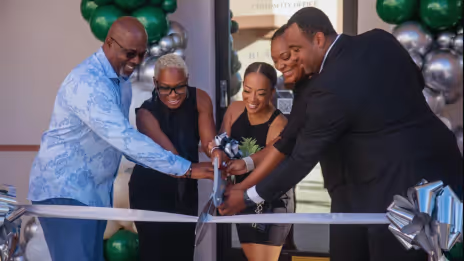
Regina & Will · Owners

Ra · Owner

Ryan Cottam · Owner
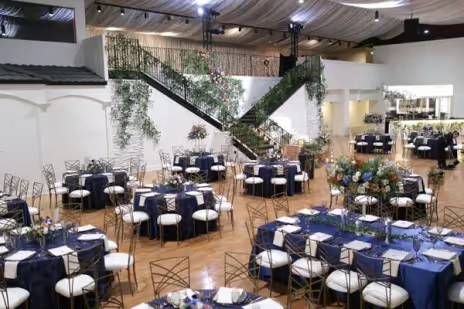
Joey Marshall · General Manager

Kelly Lee · Owner

Hunter · Owner

Ijo · Owner

Elli Winn · Event Manager
Choose how you want to experience Breezit as a potential customer.
Choose a plan based on how many new leads your business receives each month.
Further messages and follow-ups with an existing lead don’t count as new leads.
Use Breezit to handle inquiries for at least 7 days. If it isn’t right for your business, request a full refund within your first 14 days of service.
View guarantee detailsHow it fits your services, your clients and the way you work.
Talk to the Breezit teamConnect the Gmail or Outlook inbox where you receive event inquiries. Breezit reviews incoming inquiries and identifies the ones about events.
Add your services, venue details, pricing, business rules and common questions. Share your preferred tone and examples of how your team writes, then review replies before going live.
Breezit can reply in under a minute. You can adjust the response time to suit how you want your business to communicate.
Yes. Limit automated replies to selected emails or customers, and keep other conversations with your team.
Breezit uses your business information, rules and preferred tone. It can match the writing style of your existing emails and personalize each reply to the client’s inquiry.
Breezit notifies your team and shares the conversation. Your team can provide the missing answer or take over directly.
Yes. Review the conversation, pause Breezit for that lead and reply directly.
Confirm your CRM connection and the information shared during setup. Breezit can work with supported existing tools alongside your inquiry inbox.
Yes. It can follow up on email inquiries by SMS and send an email after a phone call, using the channels connected for your business.
Breezit sends reminders, helps clients reschedule and follows up after a no-show. Your team hosts the appointment and handles requests that need personal attention.
For the people who bring weddings, corporate events and celebrations to life.
Keep the conversation going, wherever your customers reach out.